Turn links, barcodes and spreadsheets into WooCommerce products
ScrapeRush finds the product page, takes the name, description, images, attributes and variations, improves the texts with AI and adds the products to your store. It never changes or deletes what’s already there.
Access is by invitation while we bring stores on one at a time.
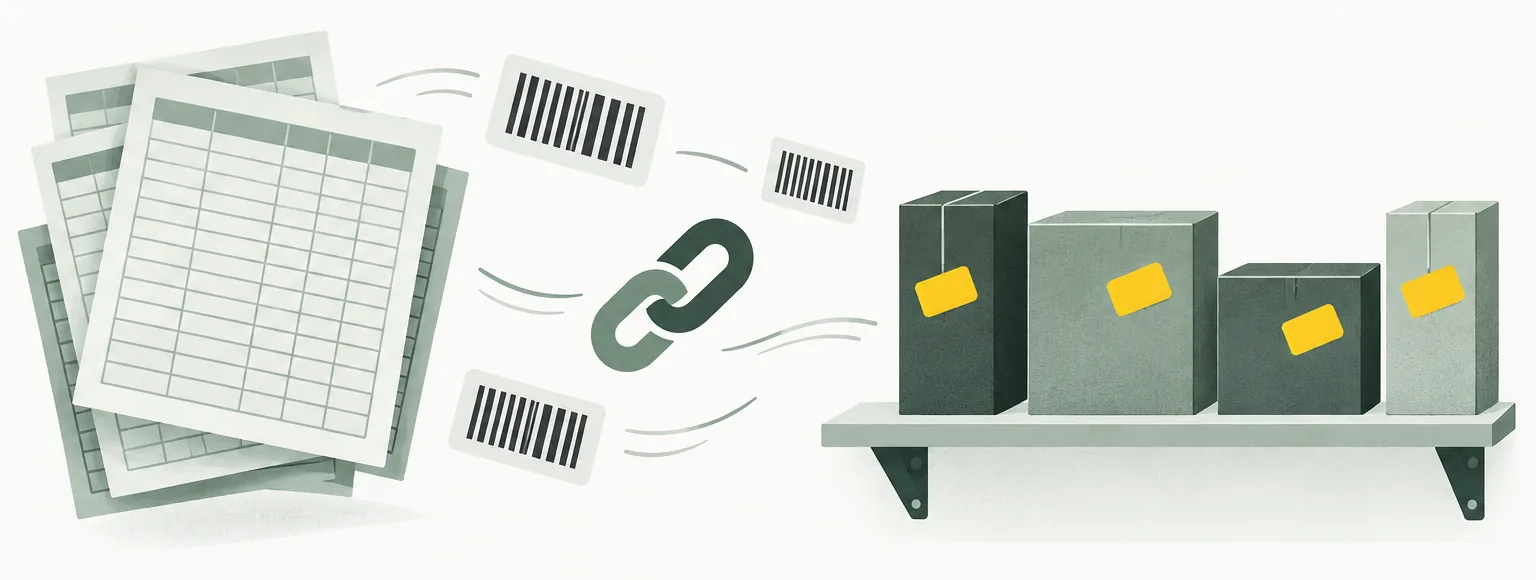
Start with what you already have
No templates to fill in and no copying from supplier sites. Give ScrapeRush whatever your supplier gave you.
-
A product link
Paste one or many links to supplier or manufacturer pages into the chat.
https://supplier.example/drill-x200
-
A barcode, SKU or name
No link? Type an EAN, SKU or product name and ScrapeRush searches the web for the right page.
EAN 5901234123457
-
A spreadsheet
Upload the supplier’s Excel or CSV file. Rows without a link get their source found automatically and checked against the barcode.
supplier-catalog.xlsx
SKU EAN Name Price
How it works
-
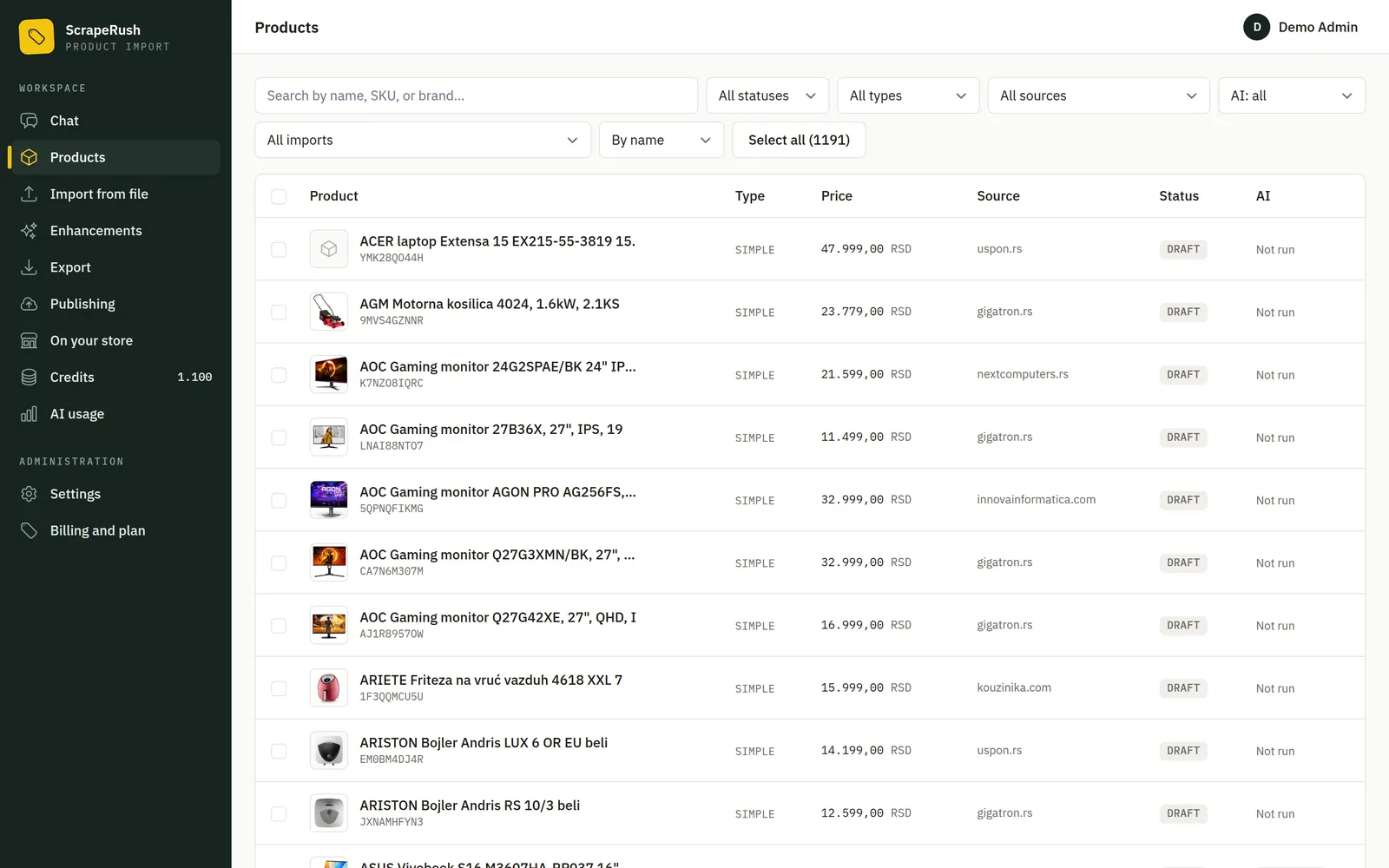
Products arrive complete
Every product lands in one list with its variations, images and attributes taken from the source page. If a page isn’t a product, it’s rejected instead of guessed.
-
Review and improve
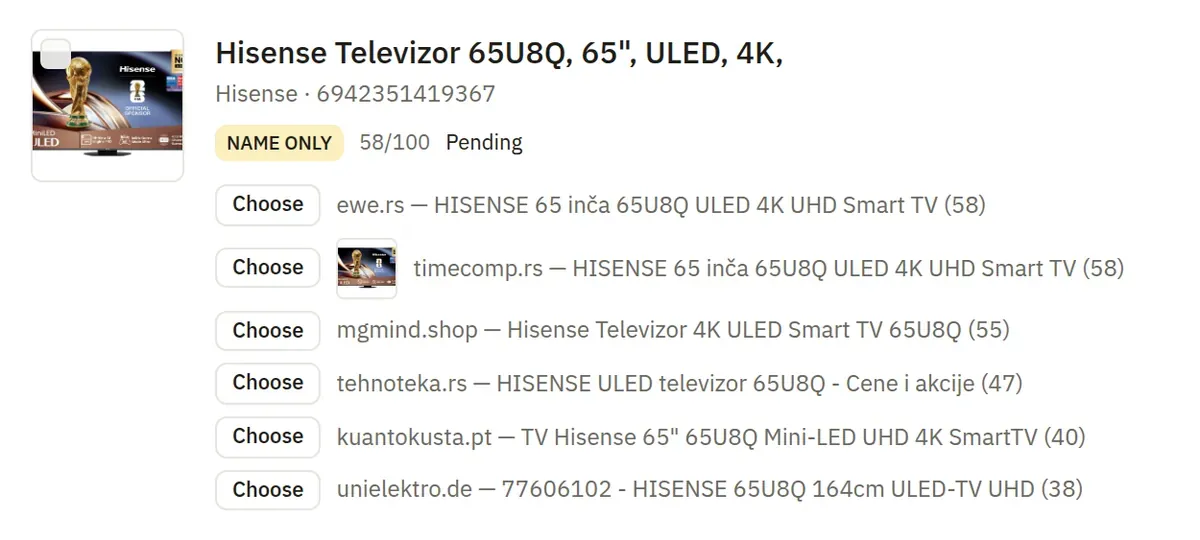
Uncertain matches wait on the Review page, with the suggested sources and their images side by side. Then AI agents research each product and write descriptions and SEO texts in your store’s language.
-
Publish to your store
Connect WooCommerce with a REST API key. ScrapeRush compares the products with your store, suggests categories from your own category tree and shows you the plan. Nothing is sent until you confirm.
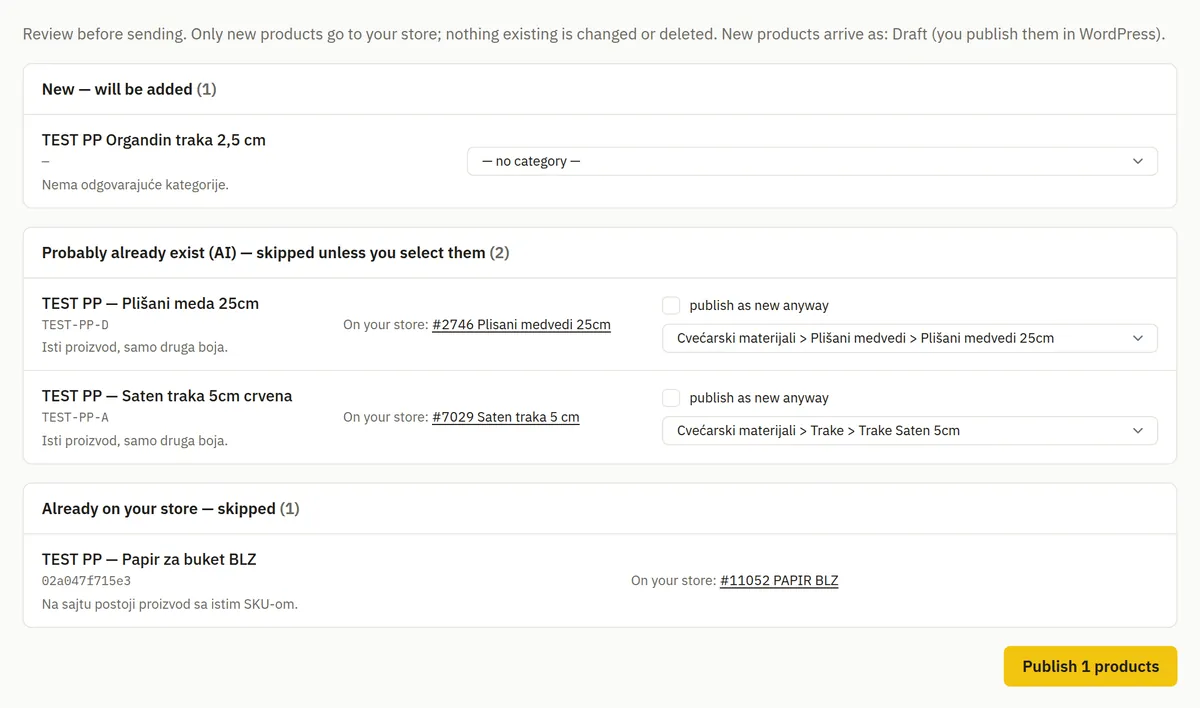
It adds products. It never changes or deletes yours.
ScrapeRush talks to your store only to read your catalog and to create new products. There is no code in it that edits or deletes a product, and an automated test makes sure it stays that way.
-
Duplicates are caught before publishing
Each product is marked as new, probably already in your store (checked by AI) or already there (same SKU or barcode).
-
Unfinished products stay out
A product without images, a price, a description or finished variations can’t be published. You see exactly what’s missing.
-
Draft or live, your choice
Publish new products as drafts to look them over in WooCommerce first, or make them live straight away.
What’s included
Every plan includes everything below. Plans differ only in the number of team members.
-
Extraction that doesn’t invent
AI reads the page and takes only what’s on it: name, description, price, attributes, variations and images.
-
Research and SEO agents
One agent gathers facts about the product, the other writes descriptions and SEO texts in the language you choose.
-
Monthly files without duplicates
Products are matched by SKU across imports, so next month’s file adds only what’s new. Each row is kept as a physical piece with its original data, which outlets need.
-
Column mapping
Columns are recognised automatically, and when the headers are unusual, AI suggests the mapping. You confirm before anything is imported.
-
CSV export
Download products as a CSV file in WooCommerce’s import format whenever you’d rather import by hand.
-
Team, roles and 2FA
Invite colleagues as members or admins. Two-factor sign-in is required for everyone, and each organization’s data is kept separate.
-
Your own API keys, if you like
Connect your own OpenRouter, Serper or Firecrawl key and the steps that run on it cost no credits.
-
Nothing is lost when credits run out
Work pauses at zero and continues from the same step as soon as you top up.
-
English and Serbian
The app speaks English and Serbian, and every person on the team picks their own language.
Made for people who list a lot of products
-
Web shops
Add supplier products without copying texts and images by hand, and keep descriptions consistent across the whole catalog.
-
Distributors and importers
Turn a manufacturer’s price list into finished product pages, then publish them to your WooCommerce store or hand them over as a CSV file.
-
Outlet sellers
Upload the monthly outlet spreadsheet: known products are recognised, new ones are found by barcode and every piece stays on record.
Pay for access, then only for what you use
A monthly subscription opens the app. Credits pay for the AI and search the platform runs for you, at 1 credit = €0.01. New organizations start with 100 credits.
-
Starter
€19 per month
- 2 team members
- All features included
-
Pro
€49 per month
- 10 team members
- All features included
-
Business
€149 per month
- Unlimited team members
- All features included
Frequently asked questions
Which online stores does it work with?
Publishing works with WooCommerce, through its REST API. You can also download products as a CSV file in WooCommerce’s import format.
Will it change or delete products already in my store?
No. ScrapeRush only reads your catalog, to spot duplicates and pick categories, and creates new products after you confirm. It has no way to edit or delete a product.
Where does the product data come from?
From the page you link to, or from a page found by searching for your barcode, SKU or product name. When there’s a barcode, the match is checked against it, and uncertain matches wait for your decision.
Do I need my own AI or search account?
No. By default the platform’s keys are used and paid for with credits. If you already have OpenRouter, Serper or Firecrawl keys, connect them and those steps are free.
How much does it cost?
A subscription from €19 per month, plus credits for AI and search: 1 credit = €0.01. Every new organization gets 100 credits to try it out.
What happens when I run out of credits?
Paid steps pause and nothing is lost. As soon as you top up, the work continues from the same step on its own.
In which language are the product descriptions written?
In the language you set for your store, whatever the language of the supplier’s page. The app itself is available in English and Serbian.
How do I get access?
Registration is closed for now. Send a request with a few details about your store, and we’ll set up your organization and email you the login details.
Tell us about your catalog
We set up your organization, send you the login details, and you start importing with trial credits.